


Rotating Clip on LED Cooling Fan

Instant Icy Cool Breeze, Anywhere You Go
Experience rapid, personalized cooling with advanced semiconductor technology. Clip it, wear it, and take precise control of your comfort.

Beyond the Breeze: True Ice-Cooling Tech
Unlike traditional fans that simply recirculate hot air, this device features an active semiconductor cooling plate. Feel a noticeable, icy sensation in seconds, delivering genuine relief on the hottest days directly to your skin.

Clip Anywhere for Hands-Free Comfort
Designed for life on the move. The heavy-duty clip attaches securely to backpack straps, belts, umbrellas, or car vents. Use the included lanyard to wear it as a neck fan, keeping your hands free for commuting, hiking, or working.
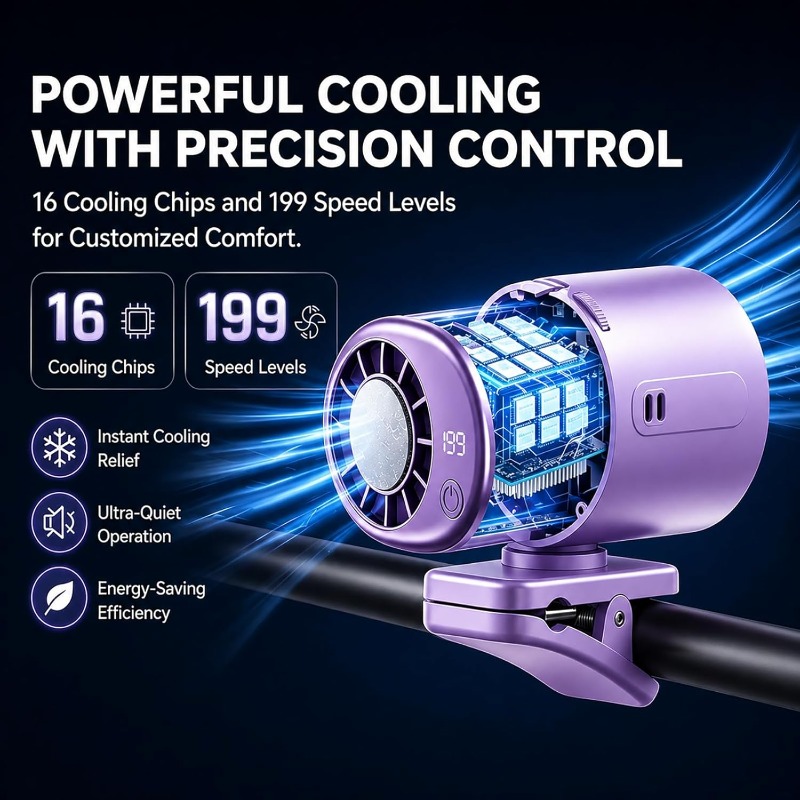
199 Speed Settings & Ultra-Quiet Design
Dial in your exact comfort level with unprecedented precision. The side scroll wheel lets you glide through 199 speed settings, visualized on the bright LED display. Engineered to run quietly (under 25dB), it won't disturb your focus or sleep.
Product Specifications
| Input Voltage / Current | 5V / 1.2A |
|---|---|
| Rated Power | 10W |
| Battery Capacity | 2000mAh (Polymer Battery) |
| Charging Interface | TYPE-C |
| Charging Time | Approx. 2 Hours |
| Speed Settings | 1 - 199 Gears |
| Working Time (Fan Only) | Gear 1: ~12H Gear 100: ~3H Gear 199: ~1.5H |
| Working Time (Fan + Cooling) | Gear 1: ~2H Gear 100: ~1.3H Gear 199: ~1H |
| Certifications | FCC, CE, ROHS, Quality Inspection Report |
| Execution Standard | GB4706.1-2005 / GB4706.27-2008 |
Frequently Asked Questions
How is this different from a regular portable fan?
Regular fans only blow ambient air. This device uses a built-in semiconductor plate that actively gets cold, cooling the air as it passes through to provide a much more refreshing, icy breeze.
Is the bladeless design safe for long hair?
Yes, absolutely. The air intake is protected by a fine mesh grille and has no exposed spinning blades, making it safe to wear around your neck even with long hair.
How do I adjust the speed and see the current setting?
You can adjust the airflow smoothly from level 1 to 199 using the scroll wheel on the side of the device. The current speed level is clearly shown on the front LED display.